BCM & Cluster
Mileage Correction
Odometer jumped, frozen, or showing the wrong mileage after a used BCM installation? Standard tools can't fix it. We correct the mileage at the board level — restoring accurate odometer function so the vehicle reads right and counts normally.
What's Going On With These GM Vehicles?
On certain GM platforms from the mid-2000s to early 2010s, the Body Control Module (BCM) is the mileage master — it stores the vehicle's odometer reading and the instrument cluster follows its lead. This is different from most vehicles where the cluster controls its own mileage independently.
This design creates a serious problem when a used BCM is installed. Because the replacement BCM carries the mileage from its original vehicle, it can cause the odometer to jump to a completely different reading — or freeze and stop counting altogether. Once this happens, standard dealer tools and programming software cannot correct it. The mileage is embedded at the chip level inside the module.
This is a common headache for shops that install salvage-yard BCMs. The customer comes back with a wrong odometer reading, and there's no obvious path to fix it. That's where we come in.
Two Scenarios — Here's What Happens
Understanding which situation you're in determines what we need from you.
Used BCM Mileage Is Higher
The cluster permanently jumps to the higher mileage from the donor BCM. This happens immediately when the BCM is connected. It will not come back down — not even if you reinstall the original BCM.
What we need:
Both the BCM and the instrument cluster must be sent in for correction.
Used BCM Mileage Is Lower
The cluster still shows the correct (higher) mileage, but the odometer stops counting. It won't increment until the BCM's internal mileage "catches up" to the cluster — which could mean driving thousands of miles before it moves again.
What we need:
Usually just the BCM. Send the original BCM too if you have it — makes the correction plug-and-play.
Haven't plugged in the used BCM yet? Good — contact us first. If we correct the BCM before it's installed, you can avoid the cluster mileage jump entirely. Just send us the replacement BCM (and ideally the original) and we'll set it to the correct mileage before you install it.
The Two Components Involved
Depending on your situation, we may need one or both of these modules.
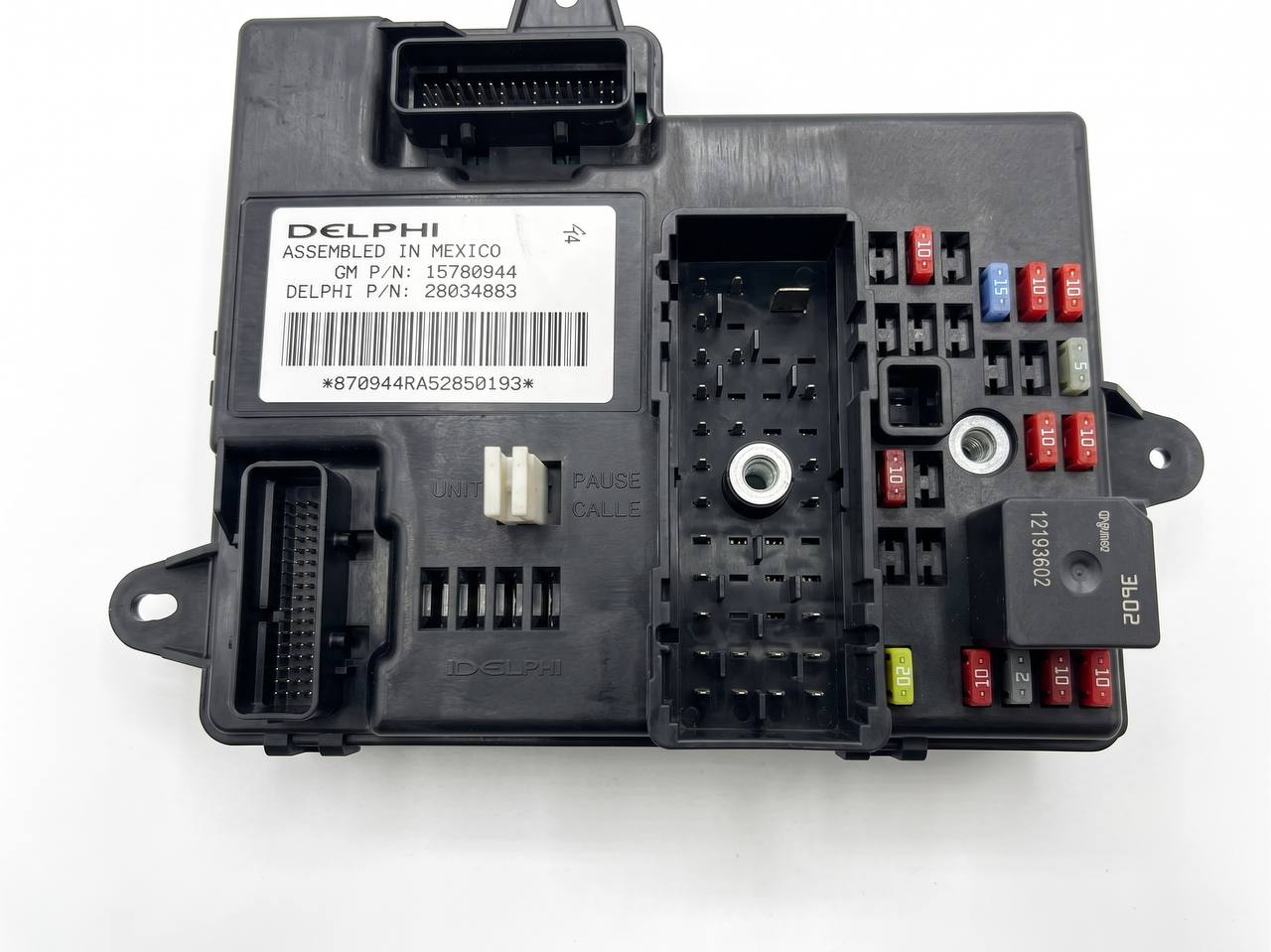
Body Control Module (BCM)
The mileage master — stores and controls the odometer reading. This is the Delphi BCM found in Hummer H3, HHR, Cobalt, Colorado, Canyon, G6, and similar platforms.
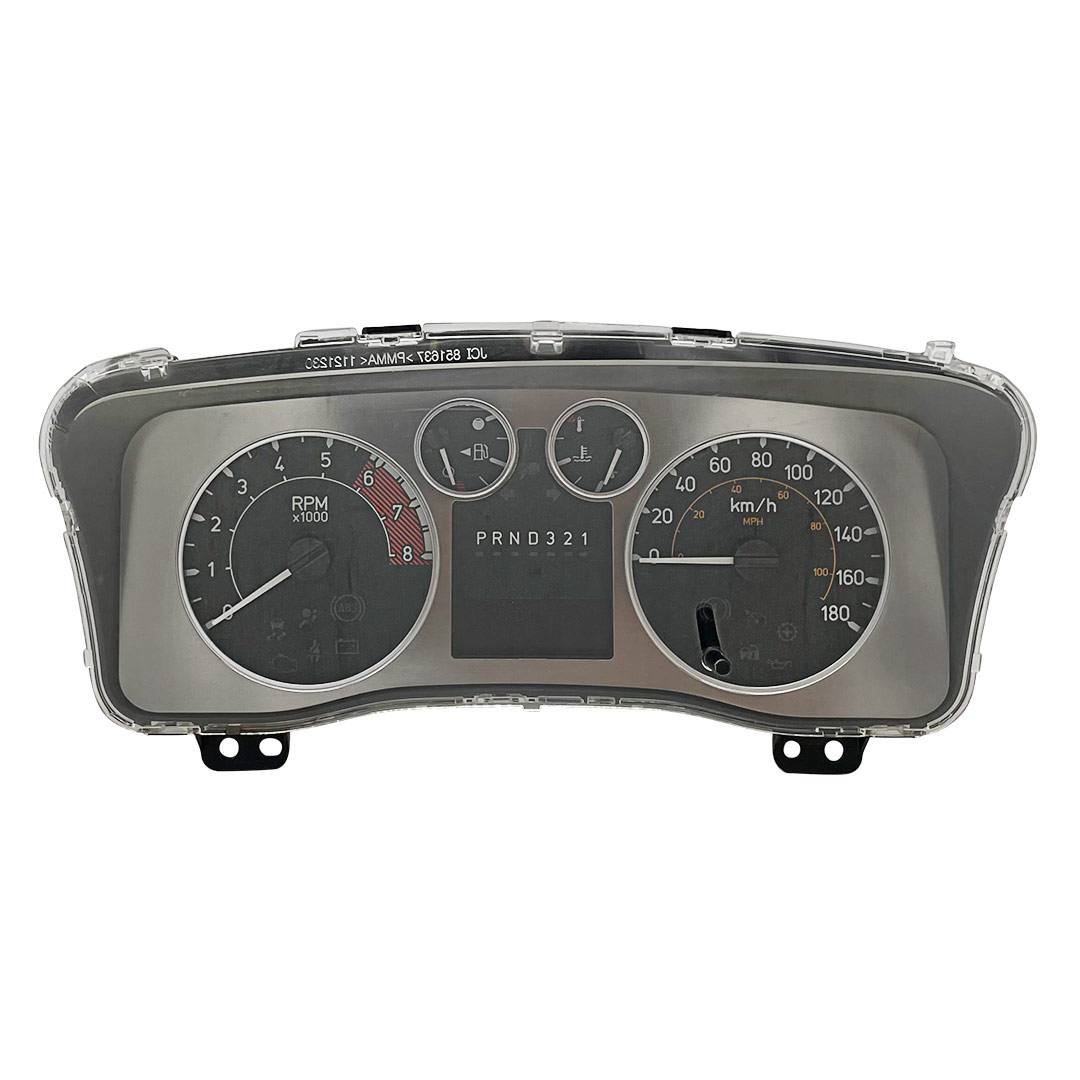
Instrument Cluster
The mileage slave — displays the odometer reading but follows the BCM. If the BCM has a higher mileage, the cluster will jump to match it permanently.
Mileage Documentation Required
We will only correct odometer mileage when it can be supported by pre-existing documentation for the vehicle. Before we begin any work, we need records confirming the vehicle's actual mileage.
Acceptable documentation includes:
- ✓Vehicle title showing mileage at last transfer
- ✓Current registration with mileage
- ✓Carfax or AutoCheck vehicle history report
- ✓Service records from a repair facility
- ✓State inspection records
Commonly Affected Vehicles
This BCM/cluster mileage behavior is most common in the following GM platforms. Other models may also be affected.
Hummer H3
2006–2010
Chevrolet HHR
2006–2011
Chevrolet Cobalt
2005–2010
Chevrolet Colorado
2006–2012
GMC Canyon
2006–2012
Pontiac G6
2005–2010
Pontiac G5
2007–2010
Saturn Ion
2006–2007
Not sure if your vehicle is affected? Contact us with your year, make, and model and we'll let you know.
How the Mail-In Process Works
Contact Us With Your Situation
Fill out a service request or call (612) 355-9566. Tell us the vehicle, what happened (BCM swap, odometer jumped, stopped counting, etc.), and whether the used BCM has been installed yet. We'll tell you exactly which modules to send.
Send Us the Module(s) + Documentation
Ship the BCM (and cluster if needed) along with documentation proving the vehicle's actual mileage. We'll provide a shipping address and any packaging guidance when you contact us.
We Correct the Mileage
We perform the board-level correction to set the BCM and/or cluster to the documented vehicle mileage. Most jobs turn around in 1–3 business days after we receive the modules.
Install & Verify
We ship the corrected module(s) back. Install the BCM (and cluster if applicable), start the vehicle, and confirm the odometer displays the correct mileage and increments normally.
Frequently Asked Questions
What causes the odometer to show the wrong mileage after a BCM replacement?
My odometer jumped to a higher number after a BCM swap — can this be reversed?
My odometer shows the right mileage but stopped counting — what's going on?
What do I need to send you?
Do you need documentation before correcting the mileage?
Which vehicles does this apply to?
Can a dealer fix this with standard programming?
Can I send this in from out of state?
Need a Mileage Correction?
Contact us with your vehicle details and situation. We'll tell you exactly what to send and get your odometer reading right.